
Subnautica Below Zero: Читы и консольные команды
Subnautica: Below Zero покинула ранний доступ, и мы готовы отправиться в очередное сюжетное подводное приключение с элементами выживания. В продолжении игрок возвращается на Планету 4546B, чтобы пролить свет на тщательно скрываемую смертоносную тайну.
Здесь не так просто справляться с новыми инопланетными формами жизни и другими трудностями, еще и пытаясь создавать пригодную для проживания среду и строить машины, поэтому возможность воспользоваться читами и консольными командами в особо сложных случаях вас наверняка порадует.
Как и в предыдущей игре, в Subnautica: Below Zero есть немало читов и консольных команд. Для их активации во время игры нажмите F3. В левой верхней части экрана откроется меню. Нажатие на F8 активирует движение курсора мыши, после чего нужно снять флажок «Disable Console». После этого снова нажмите F8.
Список консольных команд Subnautica Below Zero

Теперь вы можете открыть консоль, нажав клавишу тильды (
). Она появится в левом нижнем углу экрана. Вам не придется постоянно снимать флажок, но при каждом запуске Subnautica: Below Zero потребуется нажать F3, чтобы активировать читы и консольные команды.
Ниже приведен список консольных команд и читов Subnautica: Below Zero. Скобки вводить не надо. Нажатие клавиши Enter исполняет введенную команду, а стрелками вверх и вниз можно переключать ранее введенные.

Все читы и коды в Subnautica: Below Zero
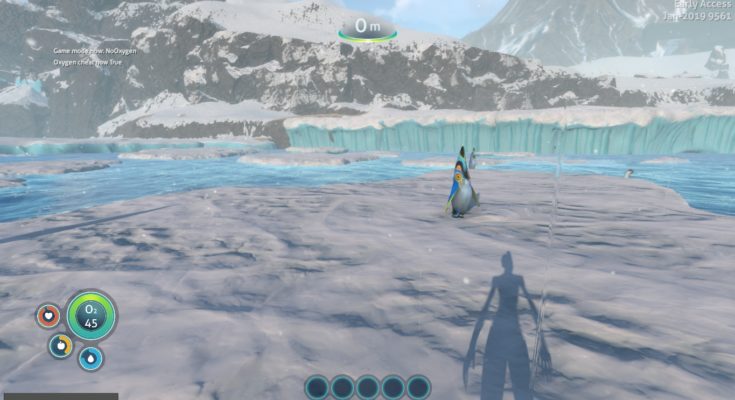
Система ввода чит/кодов в Subnautica: Below Zero не изменилась. В этом гайде я предоставлю весь список чит-кодов в Subnautica: Below Zero, а также руководство — как их вводить.
Как вводить чит-коды в Subnautica: Below Zero
Изначально в игре нельзя вводить читы, так как перед этим необходимо снять ограничение. Для этого нажмите кнопки F3 и F8. Если вы просто нажмете F3, то появится только меню, но курсора мыши не будет, поэтому нажимать нужно две кнопки.
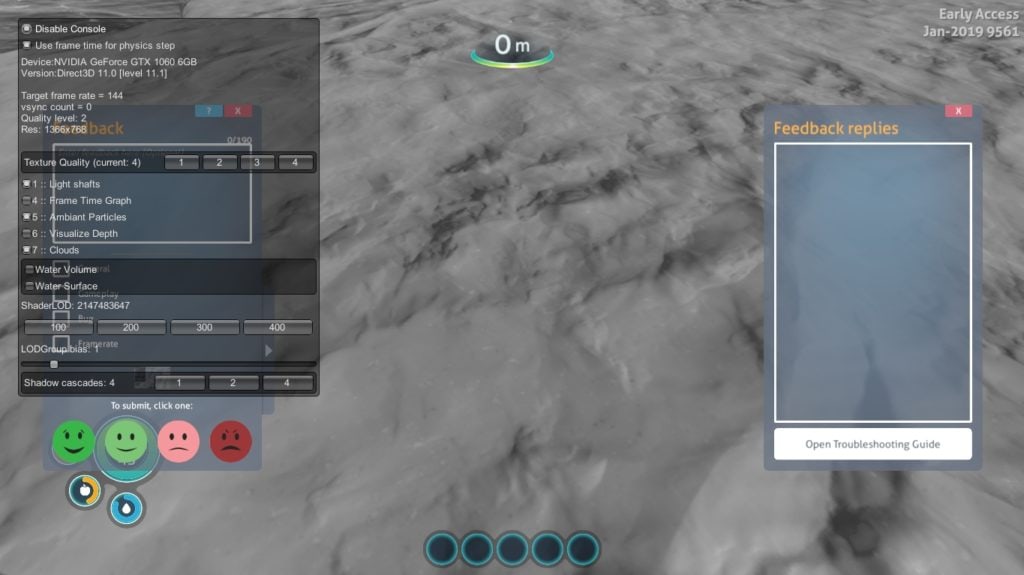
В появившемся меню, уберите точку с «Disable Console», и закройте меню, повторно нажав F3. После этого откройте консоль, нажав на кнопку [
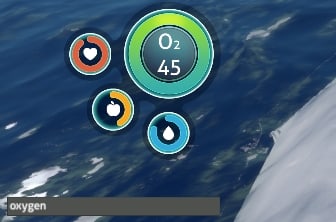
], для многих она знакома как кнопка «ё». Если в левом нижнем углу экрана консоль не появится, то поменяйте язык на английский, зажав клавиши Shift+Alt.
Проверенные читы
invisible — Агрессивная фауна не нападет на вас
spawn_hoverbike — Спавнит ховербайк!
spawn_seatruck, spawn_seamoth — Спавнит морской грузовик.
unlockall — Открывает все чертежи
fastbuild — Увеличить скорость строительства базы
nodamage — неуязвимость
madloot — Получите некоторые полезные предметы
noenergy — Бесконечная энергия (для баз и транспортных средств)
nocost — бесплатный крафт
fastscan — Сканер работает практически мгновенно
fastgrow — Семена растут мгновенно
day — Установить дневное время
night — Установить ночное время
oxygen — Бесконечный кислород
warpme — Телепортирует вас назад к последнему строению
ghost — режим призрак
daynightspeed (цифру) — Изменение скорости дневного/ночного цикла. 1 — значение по умолчанию, 2 — Значение двойное, а 0.5 — значение в половину.
speed (цифру) — Устанавливает множитель скорости игры. Например, 2 удвоит скорость игры, в то время как 0.5 уменьшит ее вдвое. Хорошо для создания скриншотов.
freecam — Свободный обзор. Открепляет камеру от игрока. введите еще раз, чтобы вернуться обратно.
item (название) (количество) — Добавить предметы в инвентарь : Habitat Builder, Scanner, Survival Knife, Repair Tool
weather — Отключает погодные явления (метели, энерго-бури и т. д.) и устанавливает внешнюю температуру до 22°C
biome (название) — Телепортация в определенные биомы: introarea, introicecave, shallowtwistybridges, twistybridges, lilypads, crystalcave, deeppads, kelp, kelpcave
goto (название) — Телепортация к определенной области карты: rocket, twistybridgesvalleyfloor, enzymesample, kharaasample, shieldbasecaveentrance, shieldbase, hoverarea, arcticspirescache, crystalcache, deeparcticcache, fabricatorbase, sanctuary, rocketIceShelf, Mtechsite1, Mtechsite2, Mtechsite3, Mbase, divesuit, alterrabase1, alterrabase2, alterratechsite1, alterratechsite2, alterratechsite3, alterratechsite4, tunnelExit, baseSupplyDrop1, shieldbasetop, radiotower, seatrucktest
Список читов для Subnautica: Below Zero
А вот список всех читов. Стоит отметить, что не все читы могут работать, так как взяты они из стандартной версии игры. Вводить читы нужно маленькими буквами:
Читы для изменения игрового режима
Базовые читы
Внимание: При наличии двух слов в наименовании объекта их нужно писать в слитной форме. К примеру, ITEM COOKEDPEEPER 10.
Console Commands (Below Zero)
SAVE your game before using these commands! Using these commands might impair your Subnautica: Below Zero experience! The use of these commands will disable achievements on the current save file!
Console Commands are a group of tools that adjust the player’s experience outside the normal scope of the game. These commands can be used for debugging purposes, viewing partially implemented content, or simply for player enjoyment.
Contents
How to Use
PC/Mac
The Console can be opened by pressing the Shift and Enter keys simultaneously.
Consoles
The input box for Console Commands can be brought up by pressing several buttons on the controller at the same time.
| Xbox | PlayStation | Nintendo Switch |
|---|---|---|
 + +  + +  |  + +  + +  |  + +  + +  |
Input box Use
List of Commands
Basics
General
Adds a specified amount of a certain item to the player’s inventory. Default number is 1.
Spawns a specified amount of a certain object in front of the player. Default number is 1.
Unlocks a specific data base entry. Example: » ency hoopfish » will unlock the Hoopfish entry.
Doing » ency all » will give the player all of the data bank entries, even ones not acquirable in-game yet.
Usage: goal pda helloworld
The list of commands and appropriate description is as follows:
Item-Providing Commands
| eggs | Gives the player every creature egg in the game. |
| exosuitarms | Gives the player every Prawn Suit arm. |
| exosuitupgrades | Gives the player every Prawn Suit upgrade. |
| hatchingtime | Gives the player a Seaglide, three Ion Cubes, a Rebreather, Fins, a Lightweight High Capacity Tank, and Hatching Enzymes. |
| madloot | Gives the player a Survival Knife, Habitat Builder, Scanner, 3x Battery, 4x Computer Chip, 10x Titanium and 10x Glass. |
| niceloot | Gives the player an Ultra High Capacity Tank, one Metal Salvage, one Quartz, one Copper Ore, one Lead, one Mercury Ore, a Rebreather, a Reinforced Dive Suit, one Salt Deposit, one Gold, one Crystalline Sulfur, one Silver Ore, a Stasis Rifle, a Stillsuit, a Radiation Suit, a Compass, a Standard O₂ Tank, a Uraninite Crystal, one Cave Sulfur, one Kyanite, one Diamond, one Nickel Ore, one Lithium, one Table Coral Sample, one Ruby, one Coral Tube Sample, one Magnetite, and one Stalker Tooth. |
| precursorkeys | Gives the player one of each color precursor key. |
| seatruckupgrades | Gives the player every Seatruck upgrade. |
| spawnloot | Spawns Quartz, Copper Ore, Content Magnesium, Salt Deposit, Gold and 4x Metal Salvage. |
| tools | Gives the player a Propulsion Cannon, Survival Knife, Flashlight, Habitat Builder, Air Bladder, Pathfinder Tool, Scanner, Repair Tool, Laser Cutter, Flare, and Light Stick. |
| vehicleupgrades | Gives the player all upgrades |
| item jukeboxdisksall | Drops a single Jukebox Disk that allows the player to unlock all the Jukebox tracks. |
Weather/Daytime
| day | Sets time to day (12:00 noon). |
| night | Sets time to night (00:00 midnight). |
| accelweather [#] | Accelerates future weather event to the given number. |
| daynight [#] | Sets the time of day. 0 and 1 are midnight, and 0.5 is noon. Numbers above or below 1 or 0 will be rounded down or up, respectively. |
| daynightspeed [#] | Sets the day/night cycle speed multiplier (default 1). A # of «2» would be a day/night cycle twice as fast (shorter day and shorter night). A float such as 0.1 will make the day/night cycle 10x slower. |
| forcenextweather | Advances current weather to next one on the timeline. |
| lightning | Toggles lightning. |
| precipitation | Toggles rain. |
| resetweather | Re-rolls all weather for the next 24 in-game hours. |
| skiptime [#] | Skips a number of seconds. One day is equal to 1200 seconds. |
| weather | Toggles weather. |
| weatherevent [NAME] | |
| vranim | Toggles VR animations. |
| vsync | Toggles VSync. |
| weathergui | Toggles the weather debug GUI. |
Teleports
| biome [NAME] | Teleports the player to a specific Biome. Example: » biome shallowtwistybridges » teleports the player to the Shallow Twisty Bridges. |
Type biome without a biome name to see the following list:
Type goto with no location name to show the following list:
Legacy Commands
These commands are no-longer functional, have no apparent in-game effect, or affect only something relevant to Subnautica and not Subnautica: Below Zero. All of these commands can still be found in the game’s code. Descriptions of these commands may be guesswork, as their effects are often derived from game code.