A Hat in Time: Console Commands (Cheat Codes)
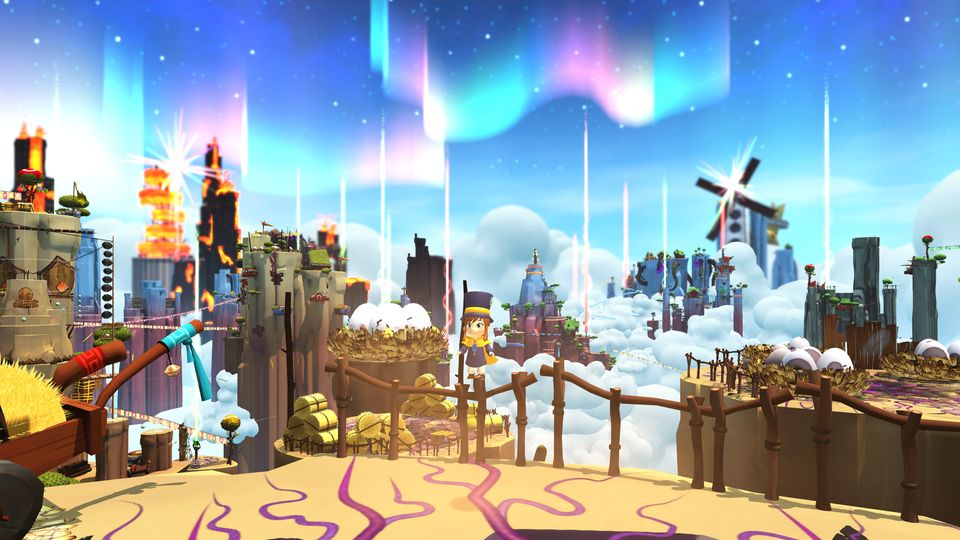
A Hat in Time is a cute-as-heck 3D platformer featuring a little girl who stitches hats for wicked powers! Freely explore giant worlds and recover Time Pieces to travel to new heights!
Other A Hat in Time Guides:
A Hat in Time: Console Commands
List of commands to use with the Developer Console. Please use them with caution, I am not responsible if you break your game.
Setting up Developer Console
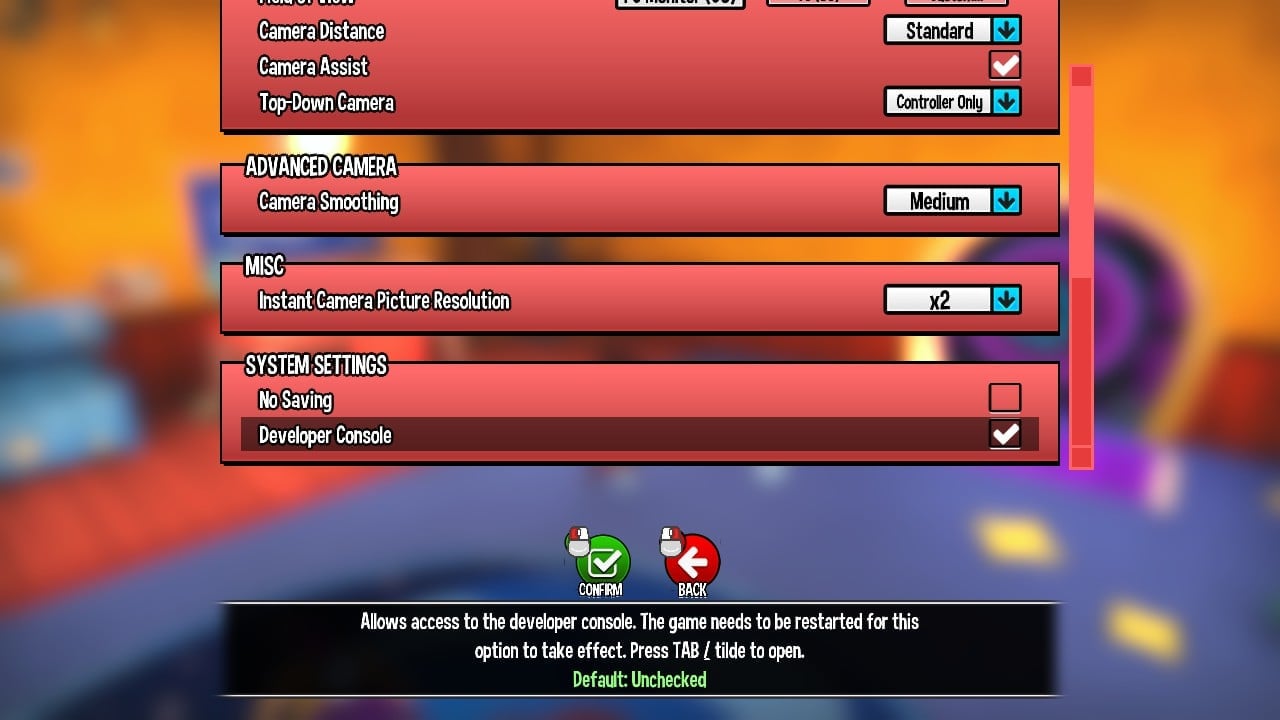
To use the Developer Console functions you first need to activate it in Game Settings.
or tab again to exit out of the command prompt.
Console Commands List
enablecheats (necessary to use the commands)
Summon HatinTimeGameContent.Hat_Collectible_RouletteToken – Creates a rift token (warning, be careful using this command if you haven’t done any time rifts; your game will softlock)
fly – Similar to ghost, but the player is able to collide with geometry (interestingly, touching a tightrope disables flying)
ghost – Puts the player into a ‘ghostly’ state where they can fly, pass through geometry, and are not affected by damage
walk – Disables fly/ghost Mode
changesize [number] – 1 is default, changes the size of Hat Kid
god – Toggles God Mode, making Hat Kid lose no health when attacked or damaged
slomo [number] – 1 is default, modifies the games speed (seems to reset when using the time stop hat
cammode – Toggles a freecam similar to the camera badge, however it isn’t tied to Hat Kid (note: The camera will still collide with geometry and the field of view will change to something lower, but this can be fixed with the command fov 90)
teleport – Teleports the player to the surface they are looking at
setspeed [number] – Modifies Hat Kids ground speed and water speed (only seems to work in water)
open [mapname] – Loads the inputted map (check HatinTimeGame\CookedPC\Maps) for maps.
startfire – Causes Hat Kid to attack with her umbrella or use the hookshot when available (equivalent of holding down attack button)
stopfire – Equivalent of releasing attack button
togglefirstperson – Toggles first person (you cannot move while in first person)
playercamerazoomin – Zooms the camera in
playercamerazoomout – Zooms the camera out
oncameraplayerfocus – Centres the camera
say [message] – Outputs the message on screen
teamsay – Functions identically to “say” command
playersonly – Set the world to only update players, ignoring all other actors
killparticles – Deactivates particle systems and destroys all particles
FOV [number] – Changes FOV to given number (max 170, min 1, default 90)
suicide – Kills Hat Kid
showdebug – Toggles the overall display of properties of the player’s current ViewTarget
restartlevel – Restarts the level
invertmouse – Inverts the mouse vertically
invertturn – Inverts the mouse horizontally
jump – Makes Hat Kid jump (pretty obvious)
duck – Makes Hat Kid duck (pretty obvious)
unduck – Makes Hat Kid unduck
pause – Pauses the game
showmenu – Functions identically to pause
use – Makes Hat Kid interact, or attempt to interact.
freezeframe [number] – Forces the game to pause for the specified delay time (when tested escape immediately resumes the game)
stat fps – Toggles display of frames per second
stat unit – Toggles display of overall frame time as well as the game thread, rendering thread, and GPU times
stat levels – Toggles display of a list of currently active levels and displays their status through colour coding
showhud – Toggles the visibility of all HUD items.
togglehud – Toggles the visibility of all HUD items.
show particles – Toggles display of particle geometry
show rigidbody – Toggles visibility of rigid bodies and their collision points.
show collision – Toggle display of collision primitives
show postprocess – Toggle display of post process effects
show staticmeshes – Toggle display of static mesh geometry
show skelmeshes – Toggles skeletal mesh rendering
show paths – Toggles display of paths or navigation meshes
show volumes – Toggles display of volumes
show depthoffield – Toggles the depth of field
show fog – Toggles rendering of fog
viewmode unlit – Renders scene with flat shading, i.e., no lighting
viewmode wireframe – Renders scene in a wireframe view
viewmode brushwireframe – Renders scene in a wireframe view showing brush edges
viewmode lightingonly – Renders scene using only the lighting information on the geometry
viewmode lightcomplexity – Renders scene using a special shader that displays the
complexity of the lighting on (number of dynamic lights affecting) each surface using specific colors to denote the number of lights
viewmode texturedensity – Renders scene using a special shader that displays the density of texels for the diffuse channel on each surface using specific colors to indicate the density
viewmode shadercomplexity – Renders scene using a special shader that displays the complexity of the material being used by each surface using specific colors to denote ranges of shader instructions
viewmode litlightmapdensity – Renders scene fully lit using a special shader that displays the density of texels for the lightmap on each surface.
viewmode – Returns render mode to normal
SCALE SET bAllowPostProcessing false – Disables all post processing effects e.g. depth of field, motion blur, etc.
SCALE SET bAllowPostProcessing true – Enables all post processing effects
listconsoleevents – Displays a list of all console events on the HUD
toggleui – Toggles updating and display of the UI
exit – Closes the game (duh)
disconnect – Takes you back to the main menu
quit – Same as exit
openhud Hat_HUDMenuTimeRiftRoulette – Opens roulette
Notes
Using the command enablecheats will not disable achievements.
Console commands are not case sensitive.
Cheats will disable upon death or loading, you will have to type enablecheats again to start using the cheat commands again.
On older versions of the game, completing a time rift after collecting all the roulette items can cause the game to softlock, however you can escape this by exiting to the hub via the pause menu.
On older versions of the game, please use the “openoldmenu” command at your own risk. Because the menu options are blank, it’s near impossible to tell what they do and you are ultimately responsible if anything goes wrong.
Using the command enablecheats in the new deathwish mode will not work. You will take damage and a cheeky message appears where console command messages usually appear.
Коды игр и коды: A Hat in Time (PC / PS4 / XBOX ONE)
Введение
Мы рады представить вам эту статью, посвященную читам и кодам A Hat in Time. Здесь вы найдете все ресурсы, которые наш редактор нашел на A Hat in Time, в частности, в дополнение к тому, что написано, даже тренеры и достижения.
Если у вас есть какие-либо другие материалы, пожалуйста, не стесняйтесь отправлять его или отправить его нам. Мы будем очень рады разместить его в статье с любыми благодарностями.
A Hat in Time-это платформер в 3D, что ставит вас в роли молодой девушки, которая шьет шапки, чтобы получить злых сил. Исследуйте миры-гиганты и берет Кусочки Времени, чтобы путешествовать к новым высотам.
A Hat in Time был опубликован 05/01/2017 для PC / PS4 / XBOX ONE. Мы заботимся о том, чтобы обновить список консолей, для которых игра была выпущена с течением времени, если трюки также будут применяться к новым поступлениям.
Узнайте различные Читы, советы и стратегии для A Hat in Time (PC / PS4 / XBOX ONE): Добавьте Песочные часы и Супер Прыжок.
Помимо трюков мы также можем предоставить вам решения этой игры в виде видео гида. Войдите в страница решения A Hat in Time, и вы можете найти пошаговое руководство, чтобы закончить игру и, часто, даже в коллекционные игры.
A Hat in Time у него также есть рекламный тренер. Если вы загружаете и запускаете его во время игры, это позволит вам получить новые функции, как правило, дополнительные трюки, которые невозможно получить каким-либо другим способом.
Для вас мы также предоставили список достижений этой игры с автоматически переведенным объяснением того, как разблокировать их.

So, you’re someone who likes to collect EVERYTHING they possibly can in a 3D platforming collectathon, eh? Or maybe you’re just in it for the cute colors and cosmetics you can only get out of the Roulette Machine located on your own Spaceship? Well, whether you’re looking to truly complete your game or up Hat Kid’s style game, this guide is for you!
Now, perhaps most would expect this to just show off where every last obtainable token is in the game. But alas, that alone wouldn’t net you enough tokens to get all the items from the roulette. That’s right, there aren’t enough tokens you can find to actually get everything! So, we’re going to do this the only way we currently can. by being a dirty cheater using the game’s developer console!
Only do this AFTER you’re certain you’ve done as much as you can in the game and just want to revel in all the extra little colors and hat customizations. And try to be sure you’ve checked high and low for all the tokens that you CAN find in the game. Part of the fun is finding them, after all! Enjoy the game to it’s full-extent first and foremost!
So if you’re a starving, die-hard completionist and want Hat Kid to be even more adorable, then read on.
Enabling the Developer Console
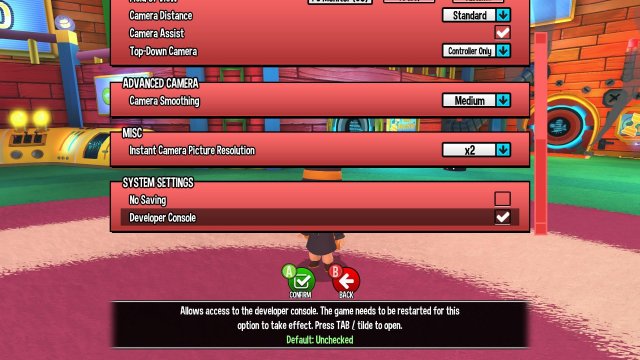
If you haven’t already, enable the developer console by going into the Game Settings menu. Scroll down to the very bottom and check the empty box next to Developer Console.
Be sure to relaunch the game afterwards!
Opening the Developer Console
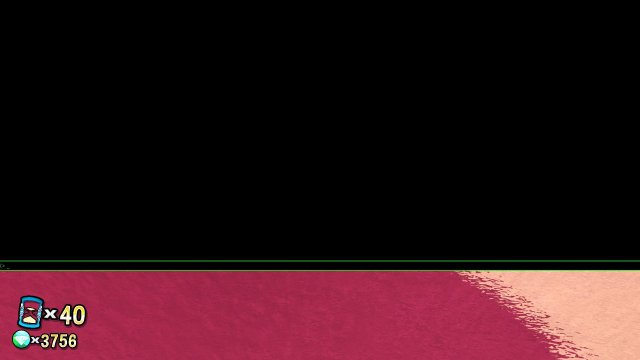
Now that you’ve relaunched the game, it should be working now! Hit tab or the tilde (
) key and you should see a HUGE black box encompass more than half of the top part of your screen! Don’t freak out about it. This is the developer console!
«Summon» Tokens
At last, your vision of a pink Hat Kid wearing a ladybug headband is within arms reach! In the command line (the green box), type or paste in: Enablecheats. Press enter.
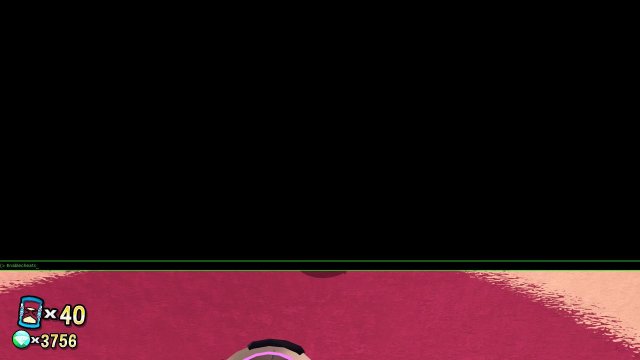
Then, in the same box, type or paste in: Summon HatinTimeGameContent.Hat_Collectible_RouletteToken. Press enter again.
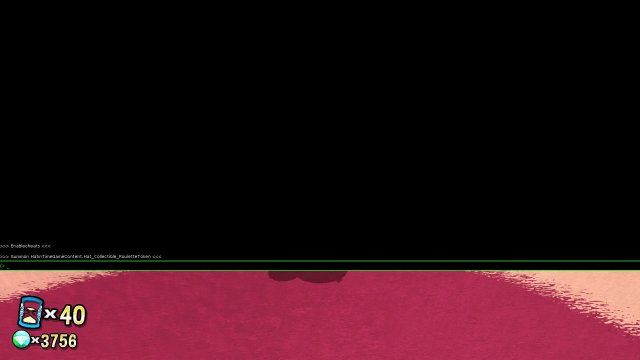
Press tab or tilde (
) again to close the developer console and.
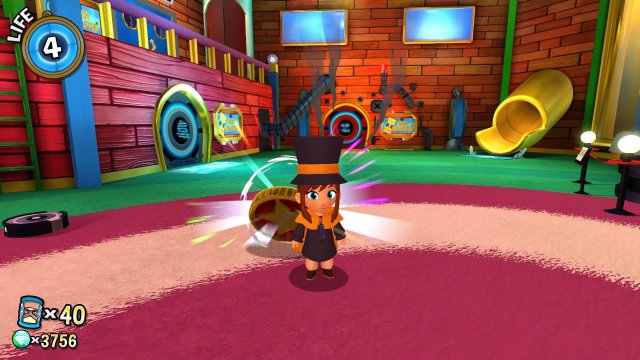
What’s this behind your ear?
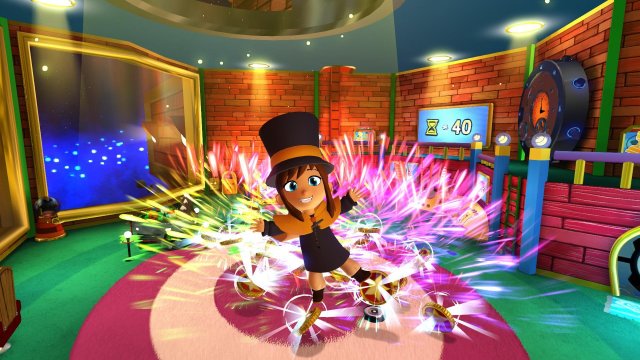
You just made up for that token you probably lost in a pool of lava and then some!
Try not to go crazy like in this screenshot, it was just for show. Only give yourself however many you need to get the last of the roulette prizes! (One use of the Roulette Machine = 3 tokens).
FearLess Cheat Engine
Community Cheat Tables of Cheat Engine
A Hat in Time+15 [Steam]
A Hat in Time+15 [Steam]
Post by Bloodybone » Sun Oct 08, 2017 7:41 pm
Inf Health
-One Hit Kill
Console
-Game Speed
-Gravity
Gravity Stuff
-Gravity Setting
Player Base
-Player Walking Speed
-Player X
-Player Z
-Player Y
-Player Model X Size
-Player Model Z Size
-Player Model Y Size
-Total Player Model Size
-Jump Height
-Current Health
-Max Health
-Player Gravity
-Invulnerability Timer
-Swamp Player Depth
-Water Timer
Other Script Stuff
-Invulnerability
-Infinite Water Swimming
Teleport Activation
-Teleport Flag /(Num1=Save / Num2=Teleport)
-Which Save/Load
-Own Coords to Set
—X-Coord
—Y-Coord
—Z-Coord
-Saved Coords
—Save 1
—X-Coord
—Y-Coord
—Z-Coord
—Save 2
—X-Coord
—Y-Coord
—Z-Coord
—Save 3
—X-Coord
—Y-Coord
—Z-Coord
If you find any bugs or if you have any Problems write me a PM or write a Reply
Updates:
Update 18:
Updated Table to support the newest Game Version
Update 17:
Updated Table to support the newest Game Version
Fixed some bugs regarding my Scripts
Update 16:
Updated Table to support the newest Game Version
Added Stop Timer 2
Added Ship Shape Stars
Update 15:
Updated the Stop Timer Script to Support more Timers
Update 14
Updated Table to newest Game Version
Fixed some bugs
Update 13
Changed some stuff in the Pointers Script
Update 12
Changed Injection Point of the Pointers Script and rewrote the whole script.
Update 11
Updated Game Version
Rewrote the whole Teleport Script and made it better
Update 10
Updated Game Version
Update 9
Updated Game Version
Update 8
Updated Game Version
Deleted Health and Jump Height Pointer because there already in the Player Base Script
Added Yarn Pointer
Made the Timer Pointer work on more timers
Update 7
Added Playerbase
Added Player Walking Speed
Added Player X
Added Player Z
Added Player Y
Added Player Model X Size
Added Player Model Z Size
Added Player Model Y Size
Added Total Player Model Size
Added Jump Height
Added Current Health
Added Max Health
Added Player Gravity
Added Invulnerability Timer
Added Swamp Player Depth
Added Water Timer
Added Other Script Stuff
Added Invulnerability
Added Infinite Water Swimming
Added Teleport Activation
Added Stop Death Wish Speedrun Timer
Added Speedrun Timer In Seconds
Update 6
Updated game version
Added Gravity Stuff
Added Jump Height Pointer
Update 5
Deleted Player Health script
Deleted Ponds Script
Deleted Rift Tokens Script
Added Health Pointer
Added Ponds Pointer
Added Rift Tokens Pointer
Added Timer Pointer
Update 4
Added Console
-Game Speed
-Gravity
Update 3:
Added an AoB Version
Update 2:
Added One Hit Kill
Update 1:
Added Rift Tokens
Made Stop Timer work
Cheating the Race
Cheating the Race
Chapter:
Unlock:
Mission Type:
Minor Information
Population:
Precipitation:
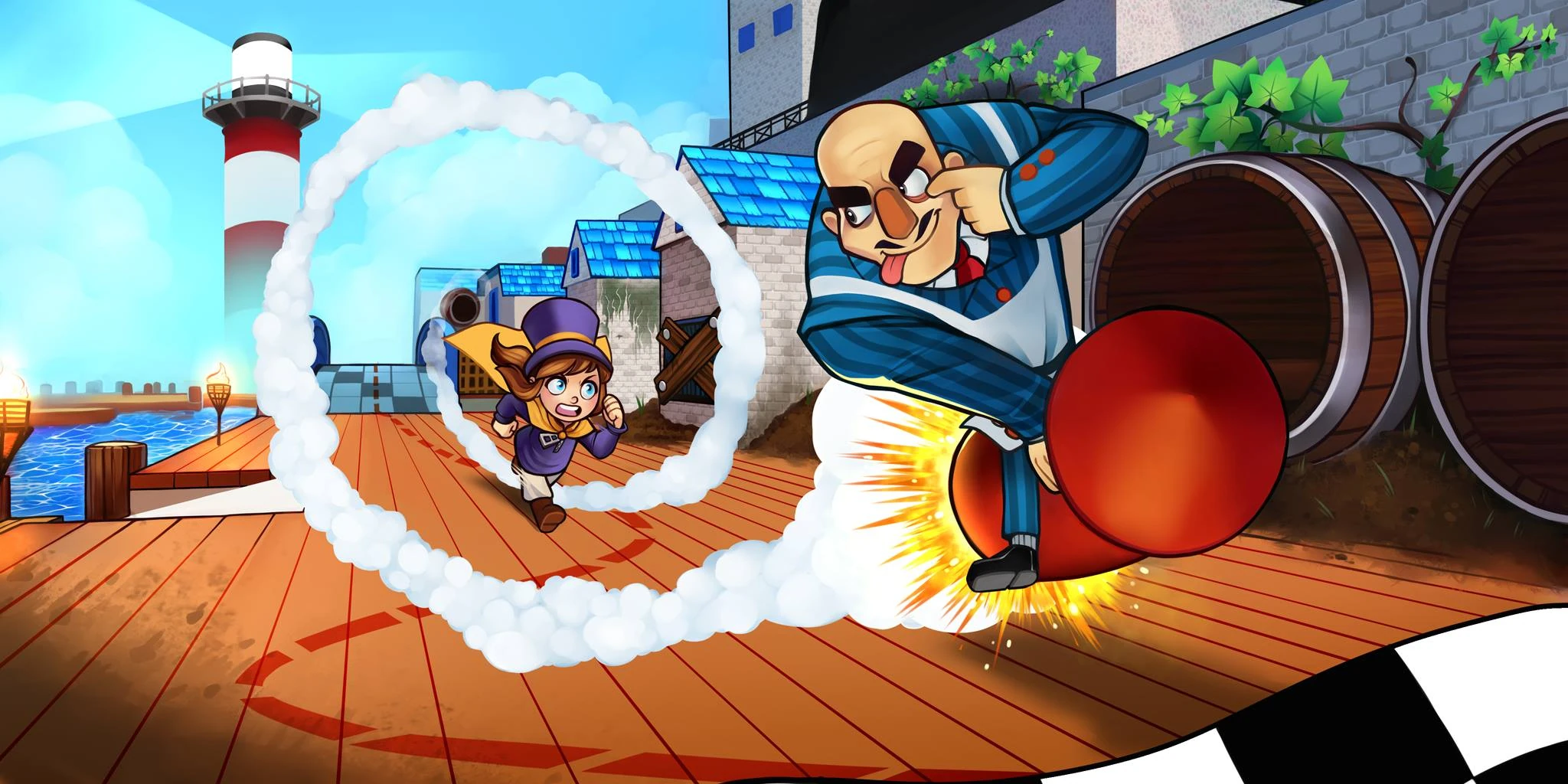
Cheat the Race is Act 5 of the first Chapter: Mafia Town. In this act, Hat Kid will need to race a Mafia Goon to reach the Time Piece first. The Time Stop Hat is recommended in this mission, but there are ways to win without it. Attempting to start the Act without having the Time Stop Hat will cause the game to warn you, saying that you are «missing a key item» required to finish it.
Contents
The Race
When Hat Kid spawns, she will be down by the rocks below the shopping district and next to a Mafia Member on a rocket. When she walks up to him, the Mafia Member will challenge Hat Kid to a race to the docks, with the winner receiving a time piece..
When the race starts a red dotted line will appear showing Hat Kid where she needs to go. However, since the Mafia is on a rocket he can fly around obstacles, meaning that Hat Kid needs to be tricky if she’s going to get that time piece!
There are a few different ways that the race can be finished. A map of the race can be found here
Collectables
«Cheating the Race» takes place in Mafia Town, which is a wide open location with many items to collect, and is identical to other acts in this chapter. As such, if you wish to know what collectables can be found here, please consult this section of the Mafia Town page. Check here for achievements.
Diary Entry
After each mission Hat Kid will write about it in her diary, which can be found in her room under the swimming pool of pillows. The diary will only read the entry for the last act that was completed.
«Ha! That’ll show those dumb Mafia guys how outdated single-stage power-based incendiary propulsion is.»
«Winning fairly is overrated, anyway.»